2-1.Login              Back        Back to Online Help Menu

Customers have to login the system.
Login the SIIS by applied user code and password.
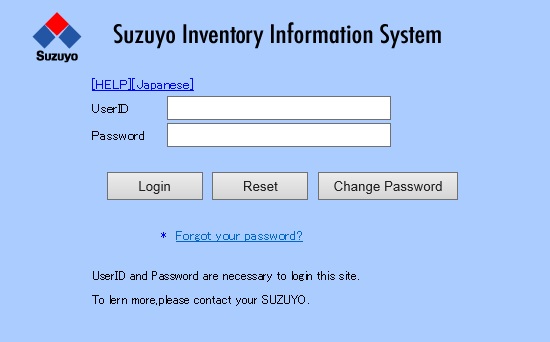
Login screen
<Operation>
  (1)Input the user ID.(Essential)
  (2)Input the password.(Essential)
  (3)Click Login button to login.
  (4)Click Reset button to clear all inputs.

  • To see the Oparation Details Click the [HELP] button.
  • To change to JAPANESE Click [Japanese] button.
  • *Error factors

  • Unknown user ID
  • Invalid password

  • *Following case is switched over to a password change screen automatically.

  • It has passed for more than 3 months from the password modification date last time.
  • I tried to log in by a temporary password.