2-2.Change Password              Back        Back to Online Help Menu

Performing a password change.
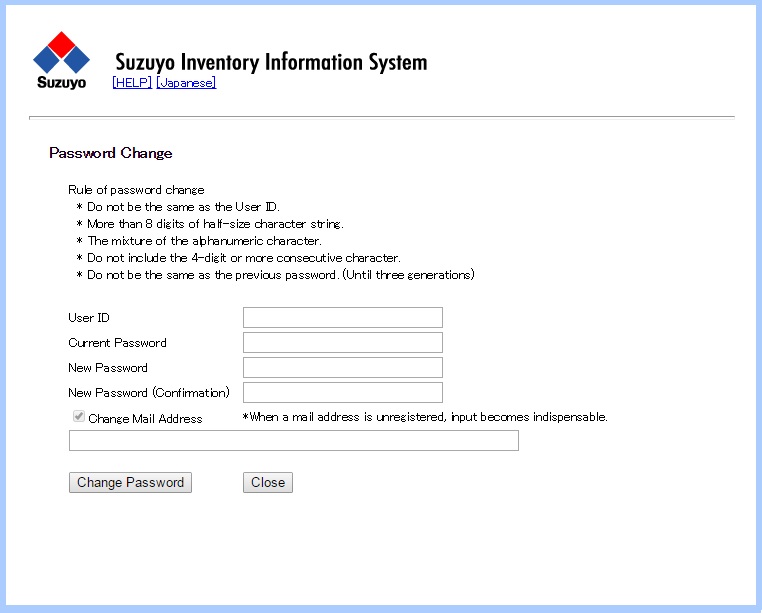
Change Password
(Operation)
  (1)Input the user ID.(Essential)
  (2)Input the password.(Essential)
  (3)Input the new password.(Essential)
  (4)Input the confirm new password.(Essential)
  (5)Input the mail address.(Only when being unregistered, it's indispensable)
  (6)Click change password button.

  • To see the Oparation Details Click the [HELP] button.
  • To change to JAPANESE Click [Japanese] button.

    *Error factors

  • Unknown user ID
  • Invalid password
  • There is a difference in a new password and a new password for confirmation.
  • It isn't based upon a password rule.